
Bulk Price Updates in QuickBooks Online
Updating prices across dozens, hundreds, or even thousands of products in QuickBooks Online can quickly become time-consuming.
When supplier costs change or margins need adjustment, many businesses are forced to:
Edit items one-by-one
Export and re-import spreadsheets
or delay price updates entirely
For companies managing large product catalogs, that manual process creates risk.
Prices stay outdated, margins shrink, and teams lose hours every time costs change.
Bulk price updates solve this problem by allowing businesses to adjust many product prices at once directly inside QuickBooks Online.
The Problem With Updating Prices Manually in QuickBooks
QuickBooks Online is excellent for accounting and inventory tracking, but product price management can become difficult at scale.
Editing Products One at a Time
Each item must be opened and edited individually.
For businesses with hundreds or thousands of SKUs, this can take hours.
Spreadsheet Imports
Many teams export product lists, modify prices in spreadsheets, then re-import them.
This introduces risks such as:
-
Incorrect columns
-
Missing items
-
Overwritten data
-
Duplicate products
Delayed Pricing Changes
When updating prices becomes tedious, companies often postpone updates.
The result is simple:
Costs rise while prices stay the same.
Margins slowly leak.
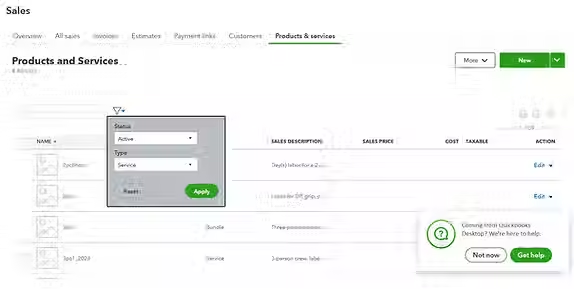
What Bulk Price Updates Actually Mean
Bulk pricing allows you to adjust many products simultaneously instead of editing them individually.
-
Typical bulk updates include:
-
Increasing all prices by a percentage
-
Applying new markup levels
-
Adjusting prices after supplier cost changes
-
Updating an entire category of products
-
Standardizing margins across inventory
Instead of touching each product manually, the system performs a controlled update across multiple items at once.
A Faster Way to Update Prices in QuickBooks Online
Instead of spreadsheets and manual edits, pricing software can work directly alongside QuickBooks Online to manage product prices at scale.
Tools like The Pricing Assistant allow businesses to:
-
Update hundreds of product prices simultaneously
-
Apply markup or margin rules automatically
-
Monitor pricing changes across large catalogs
-
Adjust prices when supplier costs change
This creates a dedicated pricing layer while QuickBooks continues handling accounting and inventory.
The result is faster price updates, fewer mistakes, and better margin control.

How Bulk Price Updates Protect Profit Margins
Small pricing delays add up quickly.
Example:
A supplier raises product costs by 8% across 200 items.
If prices are not updated quickly:
-
Each sale generates less profit
-
Margins gradually shrink
-
Pricing errors multiply across orders
Bulk price updates help businesses respond immediately.
Instead of reacting weeks later, companies can adjust pricing in minutes.
Over time, this protects profitability across the entire catalog.
Can you update multiple prices at once in QuickBooks Online?
QuickBooks Online allows item imports through spreadsheets, but it does not provide advanced tools for managing large pricing changes across many products simultaneously. Many businesses use pricing management tools to simplify bulk updates.
What is the fastest way to update prices in QuickBooks Online?
For large product catalogs, bulk pricing tools allow businesses to adjust many prices at once instead of editing each item individually or relying on spreadsheet imports.
Why do businesses use pricing software with QuickBooks Online?
Pricing software helps companies manage markup, margins, and large product catalogs more efficiently while QuickBooks continues handling accounting and inventory.
Control Pricing Without the Spreadsheet Chaos
If your team manages pricing for a large number of products in QuickBooks Online, bulk price updates can eliminate hours of manual work while helping protect your margins.
Pricing management tools provide a faster way to keep prices aligned with changing costs and margin targets — without editing products one at a time.