
Customer-Specific Pricing in QuickBooks Online
Many businesses need to offer different prices to different customers based on customer relationships, agreements, purchase volume, or account type.
Wholesale accounts, contractors, distributors, dealers, and preferred customers often require pricing arrangements that differ from standard selling prices.
As product catalogs grow, maintaining customer-specific pricing becomes increasingly difficult. Price updates, supplier cost changes, and customer agreements can quickly create pricing inconsistencies, margin problems, and administrative work.
The Pricing Assistant helps businesses manage customer-specific pricing, update prices across large product catalogs, and maintain pricing consistency while protecting profitability.
What Is Customer-Specific Pricing?
Customer-specific pricing allows businesses to assign unique prices to individual customers.
Common examples include:
-
Wholesale customer pricing
-
Distributor pricing
-
Contractor pricing
-
Commercial account pricing
-
Preferred customer pricing
-
Negotiated customer agreements
This allows businesses to support unique customer relationships while maintaining pricing control.
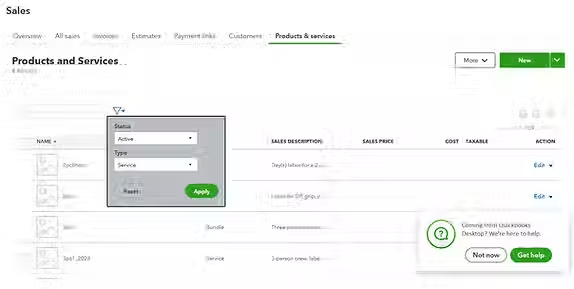
Challenges Managing Customer-Specific Pricing in QuickBooks Online
As customer accounts and product catalogs grow, managing unique pricing arrangements becomes more complex.
Common challenges include:
-
Maintaining multiple customer price lists
-
Updating prices manually
-
Responding to supplier cost increases
-
Keeping customer agreements current
-
Maintaining pricing consistency
-
Protecting profit margins
Without a structured pricing process, errors and outdated pricing can impact both profitability and customer relationships.
Manage Customer Pricing More Efficiently
The Pricing Assistant helps businesses:
-
Create customer-specific pricing structures
-
Update customer pricing in bulk
-
Manage large product catalogs
-
Review pricing changes before publishing
-
Maintain customer price lists more efficiently
Instead of updating customer pricing one product at a time, businesses can manage pricing changes across large groups of products and customer accounts.

Protect Profit Margins Across Customer Accounts
Customer-specific pricing should support long-term customer relationships without sacrificing profitability.
The Pricing Assistant Plus Plan helps businesses:
-
Set minimum profit margin percentages
-
Set minimum profit dollar thresholds
-
Validate pricing before updates
-
Identify products below profitability targets
This helps businesses maintain competitive customer pricing while protecting margins.
Manage Customer-Specific Pricing With Greater Control
Create customer-specific pricing, update prices in bulk, and maintain profitability across every customer account.
What is customer-specific pricing in QuickBooks Online?
Customer-specific pricing allows businesses to assign unique prices to individual customers based on negotiated agreements, account types, purchase volume, or long-term customer relationships.
This is especially useful for wholesalers, distributors, contractors, dealers, and other businesses that maintain different pricing arrangements across customer accounts.
Can I manage customer pricing across hundreds of products?
Yes. The Pricing Assistant is designed to help businesses manage customer-specific pricing across large product catalogs and customer accounts.
Businesses using QuickBooks Online can sync pricing data with QuickBooks, while businesses using other accounting or inventory systems can manage their pricing independently.
How do I keep customer-specific pricing profitable?
Set minimum margin requirements, review pricing impacts before applying changes, and monitor products that fall below profitability targets.
The Pricing Assistant helps businesses establish margin thresholds and validate pricing changes before updates are applied.
What is the difference between customer-specific pricing and tier pricing?
Customer-specific pricing is assigned to individual customers or customer accounts. Tier pricing typically applies predefined pricing levels to groups of customers based on factors such as customer type, purchase volume, or account level.
Both approaches can help businesses manage different selling prices while maintaining control over profitability.