
Large Product Catalog Pricing for QuickBooks Online
Managing pricing across hundreds or thousands of products becomes increasingly difficult as a catalog grows. Manual updates, changing supplier costs, and inconsistent pricing can create errors and make it harder to maintain profitable prices.
Retailers, wholesalers, distributors, manufacturers, and other inventory-based businesses need a reliable way to manage pricing across large product catalogs without relying on spreadsheets or updating products individually.
The Pricing Assistant helps businesses manage large-scale product pricing, review pricing changes, apply pricing rules, and maintain control over margins. Businesses using QuickBooks Online can sync pricing data with QuickBooks, while businesses using other accounting or inventory systems can manage pricing independently.
Managing Pricing Across a Large Product Catalog
As product catalogs grow, maintaining accurate and profitable pricing becomes increasingly difficult.
Businesses may need to:
-
Adjust prices after supplier cost changes
-
Apply markups across several, hundreds or thousands of SKUs
-
Make promotional or strategic price changes
-
Maintain consistent pricing across product catalogs
-
Review the impact of pricing changes on profit margins
Without a structured pricing process, often end up:
-
Editing products individually
-
Relying on spreadsheets for calculations and tracking
-
Repeating the same pricing work across large catalogs
-
Risking inconsistent prices and margin loss
Managing pricing at scale shouldn't require hours of manual work or create unnecessary risk to profitability.
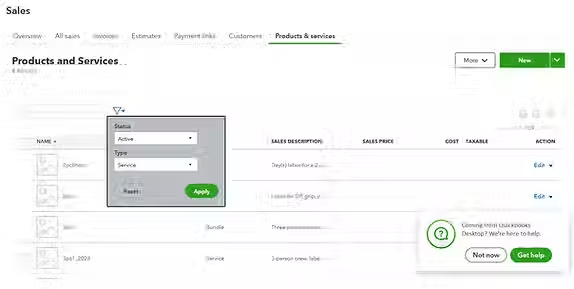
The Pricing Assistant gives businesses a centralized way to manage pricing across large product catalogs, helping teams make pricing changes more consistently and efficiently.
Features include:
-
Manage pricing across several, hundreds, or thousands of SKUs
-
Apply markup and markdown rules
-
Review pricing changes before applying them
-
Set margin and profit thresholds
-
Identify pricing changes that could reduce profitability
-
Maintain consistent pricing across large catalogs
Businesses using QuickBooks Online can sync approved pricing changes with QuickBooks. Businesses using other accounting or inventory systems can manage their pricing independently.
Instead of relying on spreadsheets and repetitive manual updates, businesses can manage catalog pricing through a structured process designed for scale and margin control.
A Better Way to Manage Pricing Across Large Product Catalogs
Instead of relying on spreadsheets and repetitive manual edits, pricing software can help businesses manage product pricing at scale while using their existing accounting or inventory systems.
The Pricing Assistant helps businesses:
-
Manage pricing across several, hundreds, or thousands of products
-
Apply markup, markdown, and margin rules
-
Review pricing changes before applying them
-
Adjust prices when supplier costs change
-
Monitor pricing and profitability across large catalogs
For businesses using QuickBooks Online, The Pricing Assistant can sync approved pricing changes with QuickBooks. Businesses using other accounting or inventory systems can manage pricing independently.
The result is a more structured pricing process, fewer manual errors, and better control over profitability as product catalogs grow.

How Large-Catalog Pricing Changes Protect Profit Margins
Small pricing delays can add up quickly when a business manages hundreds or thousands of products.
Example:
A supplier raises product costs by 8% across 200 items.
If selling prices are not adjusted promptly:
-
Each sale generates less profit
-
Gross margins gradually decline
-
Pricing inconsistencies can spread across the catalog
-
The financial impact grows with every sale
Businesses need a reliable process for responding to supplier cost changes and other pricing events.
The Pricing Assistant helps businesses evaluate pricing changes, apply pricing rules, and update large product catalogs efficiently while maintaining defined margin targets.
Over time, consistent pricing management helps protect profitability across the entire catalog.
Can you manage multiple prices at once in QuickBooks Online?
QuickBooks Online supports item imports, but businesses managing large product catalogs often need more advanced pricing tools to efficiently manage pricing changes, markup rules, margin targets, and other pricing requirements. The Pricing Assistant provides a dedicated pricing management layer for businesses managing hundreds or thousands of products.
What is the best way to manage pricing across a large product catalog?
For large catalogs, pricing management software can help businesses manage pricing changes across many products without relying on spreadsheets or editing items individually. The Pricing Assistant helps businesses apply pricing rules, review changes, and maintain consistent pricing across large catalogs.
Why do businesses use pricing software with QuickBooks Online?
Pricing software helps businesses manage product pricing, markups, margins, supplier cost changes, and large product catalogs more efficiently while QuickBooks continues handling accounting and inventory.
Businesses using other accounting or inventory systems can also use The Pricing Assistant to manage pricing independently.