
Product Price Management for Product-Based Businesses
Manage product costs, selling prices, and pricing changes in one dedicated workspace. The Pricing Assistant helps small businesses apply consistent pricing rules, recalculate prices, and manage recurring pricing tasks across multiple products.
Whether you maintain a growing inventory catalog or regularly respond to supplier cost changes, simplify your pricing workflow with tools for product pricing, markup calculations, and bulk updates. QuickBooks Online integration is optional.
Manage Product Costs and Selling Prices in One Place
Keeping product prices current takes time, especially when supplier costs change or multiple products need pricing adjustments. The Pricing Assistant provides a dedicated workspace to manage product data and perform recurring pricing calculations.
-
Manage product costs and selling prices.
-
Recalculate prices using markup and markdown rules.
-
Apply pricing changes across multiple products.
-
Review gross margin and gross profit calculations.
-
Organize recurring product-pricing work in one workspace.
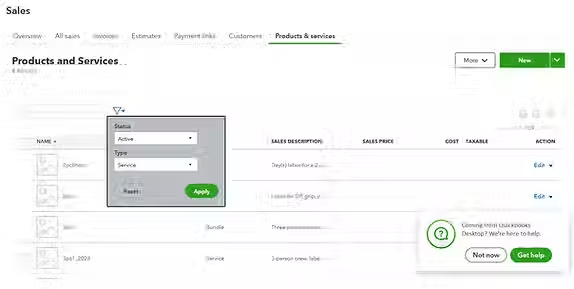
Respond to Changing Supplier Costs
When supplier costs increase, existing selling prices may no longer deliver the margins you expect. Reviewing affected products and recalculating prices helps you make informed pricing decisions.
Use The Pricing Assistant to work with product costs, apply pricing rules, and calculate revised selling prices across multiple items rather than repeating every calculation manually.
Apply Consistent Pricing Rules Across Your Catalog
Inconsistent pricing calculations can make product catalogs harder to maintain. A dedicated pricing workflow helps you apply markups and markdowns more consistently across multiple products.
Use pricing calculations to establish selling prices, adjust existing prices, and review the resulting values before implementing changes.
Manage Product Pricing Beyond Spreadsheet-Only Workflows
Excel and CSV files can be useful for maintaining product information and making occasional changes. But recurring pricing work can become cumbersome when you repeatedly calculate markups, review margins, and update multiple products.
The Pricing Assistant brings supported pricing calculations and bulk changes into a dedicated workspace, helping reduce repetitive manual work as your product catalog grows.
Review Product Margins and Profit
Selling prices need to account for product costs as well as your pricing rules. Reviewing gross margin and gross profit calculations helps you evaluate the financial results of pricing changes.
Use The Pricing Assistant to calculate pricing values and review product-level results as part of your pricing workflow. It supports more consistent pricing decisions without requiring every calculation to be repeated manually.

Built for Product-Based Businesses
The Pricing Assistant is designed for small businesses that manage multiple products and need to maintain costs and selling prices over time.
It may be particularly useful for:
-
Retailers managing product catalogs.
-
Wholesalers and distributors handling recurring price changes.
-
Suppliers responding to cost increases.
-
Inventory-based businesses applying markups across multiple products.
-
Product-based businesses in the United States and Canada seeking a more consistent pricing workflow.
Use QuickBooks Online When It Fits Your Workflow
QuickBooks Online integration is available for businesses that want to incorporate supported product and pricing changes into their accounting workflow. You can also use the available standalone pricing-management capabilities without connecting QuickBooks Online.
The Pricing Assistant focuses on pricing calculations and recurring price-management tasks, with integration available as an additional capability rather than a requirement.