
Pricing Management Software for QuickBooks Online
Managing product pricing in QuickBooks Online can quickly become time-consuming as your catalog grows. Manual updates increase the risk of pricing errors, outdated margins, and inconsistent pricing across your products. These same challenges affect many inventory-based businesses, regardless of the accounting software they use.
The Pricing Assistant helps inventory-based businesses manage pricing more efficiently with bulk updates, margin protection, pricing automation, and centralized pricing controls. Integrate with QuickBooks Online for seamless synchronization, or use The Pricing Assistant as a standalone pricing management solution to organize, optimize, and maintain pricing across your product catalog from one centralized workspace.
QuickBooks Online Wasn't Built for Pricing Management
If you need to:
-
Adjust prices after supplier cost increases
-
Apply markups across hundreds or thousands of SKUs
-
Manage promotions and seasonal pricing
-
Protect profit margins as costs change
-
Keep pricing consistent across your catalog
QuickBooks Online wasn't designed to manage pricing at scale. Many businesses end up:
-
Editing products one by one
-
Relying on spreadsheets for price calculations
-
Importing data back into QuickBooks—and risking costly errors
-
Spending hours maintaining pricing instead of growing their business
That's where profits begin to slip through the cracks.
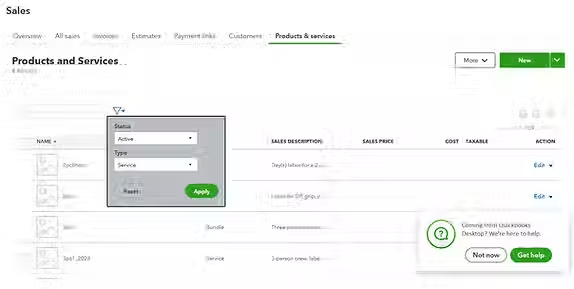
The Pricing Assistant helps inventory-based businesses take control of product pricing with tools designed for efficient pricing management. Connect directly to QuickBooks Online for seamless synchronization, or use it as a standalone pricing management solution.
With The Pricing Assistant, you can:
-
Update hundreds or thousands of product prices at once
-
Apply bulk markups or markdowns across your catalog
-
Manage pricing changes with greater consistency and accuracy
-
Protect profit margins as supplier costs change
-
Instantly sync updates back to QuickBooks Online when connected
No spreadsheets. No manual edits. No repetitive rework.
A Smarter Way to Manage Pricing with QuickBooks Online
Instead of relying on spreadsheets and manual edits, dedicated pricing management software works alongside QuickBooks Online to help businesses manage product pricing more efficiently.
With The Pricing Assistant, you can:
-
Update hundreds or thousands of product prices in minutes
-
Apply markup and margin rules across your catalog
-
Monitor pricing consistency and protect profit margins
-
Respond quickly to supplier cost changes
-
Synchronize pricing updates with QuickBooks Online
For businesses that don't use QuickBooks Online, The Pricing Assistant also works as a standalone pricing management solution, providing the same centralized pricing controls.
The result is more efficient pricing management, fewer errors, stronger margin protection, and more time to focus on growing your business.

How Pricing Management Protects Profit Margins
Small pricing delays can have a significant impact on profitability.
Example:
A supplier increases costs by 8% across 200 products.
If pricing isn't managed proactively:
-
Profit margins shrink with every sale
-
Outdated prices reduce overall profitability
-
Pricing inconsistencies spread across your catalog
-
It takes more time to identify and correct pricing errors
Effective pricing management helps businesses respond quickly to changing costs. With The Pricing Assistant, you can update pricing across hundreds or thousands of products in several minutes, helping maintain accurate margins and consistent pricing throughout your catalog.
Over time, proactive pricing management helps protect profits, improve pricing accuracy, and give businesses greater confidence in every price they publish.
What is pricing management software for QuickBooks Online?
Pricing management software helps businesses organize, update, and optimize product pricing more efficiently. It works alongside QuickBooks Online by simplifying pricing changes, protecting profit margins, and reducing manual work across large product catalogs.
Can I manage pricing without QuickBooks Online?
Yes. The Pricing Assistant can be used as a standalone pricing management solution or integrated with QuickBooks Online for seamless synchronization. This gives inventory-based businesses the flexibility to manage pricing regardless of their accounting software.
Why do businesses use pricing management software?
Businesses use pricing management software to automate repetitive pricing tasks, maintain consistent pricing across their catalogs, respond quickly to supplier cost changes, and protect profit margins without relying on spreadsheets.